quick view
Ctrl+Q shows the picture under the cursor, or the file's details, in place of the other panel.
Ctrl+Q turns the other side into a quick view of the entry under the cursor, and Ctrl+Q
again turns it back. A picture shows as an image. Everything else gets an info card.
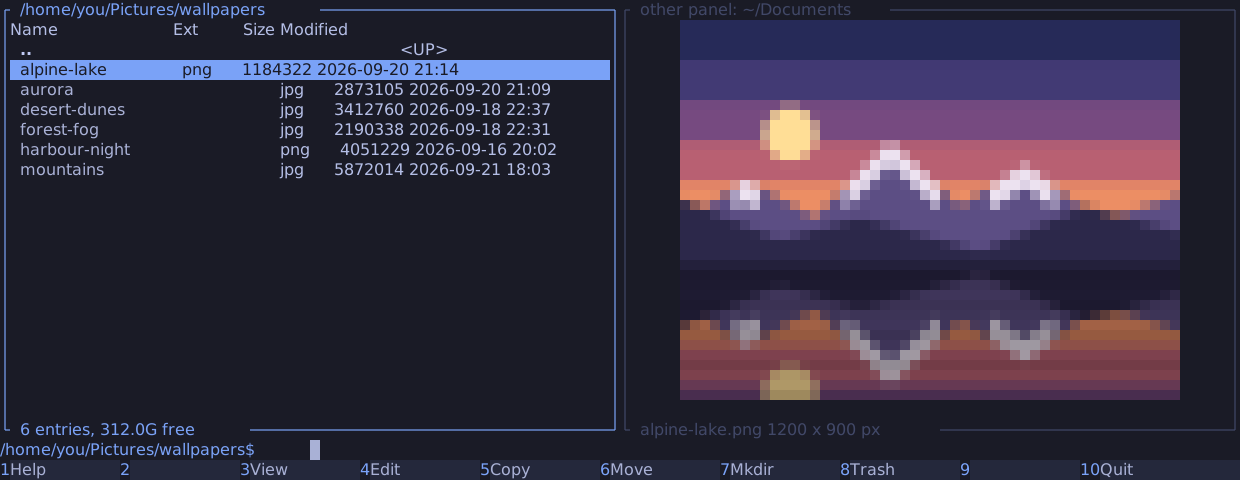
- The view follows the cursor once it rests for 100 ms, so scrolling through a directory never decodes a picture on the way.
Tabswaps sides as usual: the panel under the view comes back and becomes active, and the view moves to the other side. The view is always on the inactive side.- The panel under the view keeps its directory and listing.
F5andF6still copy and move there, and the view's title names it, such asother panel: ~/Documents. - The bottom line shows the picture's name and its size in pixels.
- A dialog, the help or the output of
Ctrl+Ohides the picture while it is open, and the picture comes back after it. Ctrl+QandAlt+Qwork while the command line holds text, and leave the text alone.
Pictures
The view shows JPEG, PNG, GIF, WebP and BMP files, recognised by their content, not their name. It turns a photo upright by its EXIF orientation, shows the first frame of an animated GIF or WebP, and scales a picture down to fit, never up.
manycommander reads the picture's header before it decodes anything. It shows the card instead, with the reason, for:
| Reason | When |
|---|---|
| file larger than 64 MB | The file is larger than 64 MB |
| image larger than 16384 x 16384 px | The picture is wider or taller than 16384 pixels |
| image needs more than 256 MB decoded | Width x height x 4 bytes is more than 256 MB |
| image truncated | A JPEG ends before its end marker |
| cannot read the image, cannot decode the image | The header or the data is damaged |
The info card
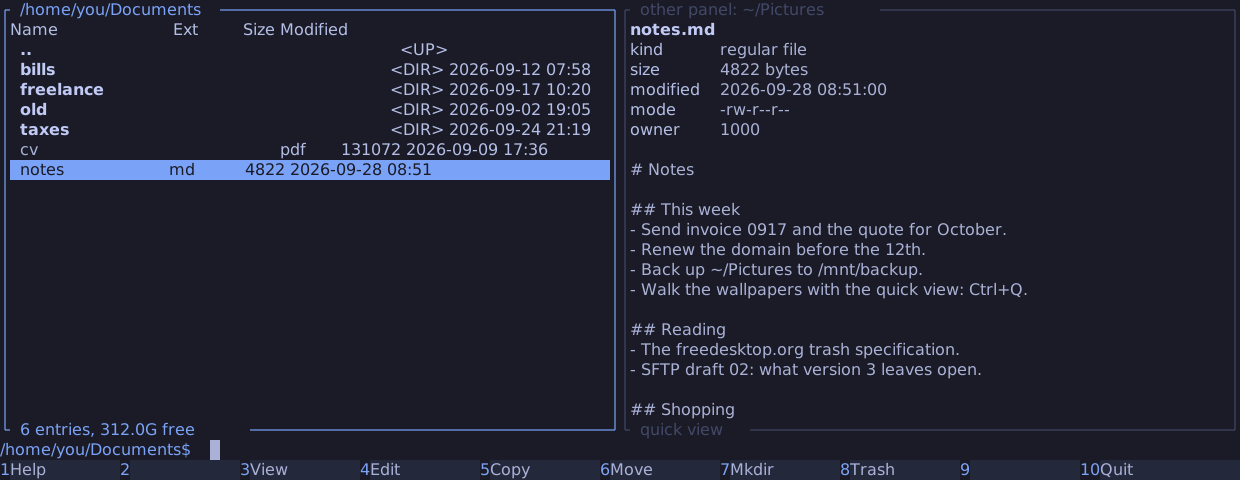
The card shows the name, kind, size, modification time, mode and numeric owner, a symbolic link's target, and a picture's size in pixels. A regular file without a NUL byte in its first 8 KiB also shows its first lines, from at most 64 KiB, with control characters escaped. A file with a NUL byte there says "binary file". A directory's card computes no size.
The view never follows a symbolic link, and never opens a FIFO, a socket or a device: they get the card.
Archives and servers
Resting the cursor reads local files, and members of zip, 7z and plain tar
archives. A member of a compressed tar would need the archive's stream
decompressed up to it, and a file on an SFTP server a transfer, so for
those the card says "compressed archive member: Alt+Q previews it" or "remote file: Alt+Q
previews it". Alt+Q loads the entry under the cursor. It does nothing while the view is off.
Terminals
At startup, manycommander asks the terminal which graphics it supports, and waits at most 100 ms for the answer.
| Terminal | Pictures as |
|---|---|
| Ghostty, Kitty | Kitty graphics |
| foot | Sixel |
| tmux | Kitty graphics through tmux when tmux passes them on (see below); sixel when tmux reports sixel support; otherwise halfblocks |
| Alacritty and others | Halfblocks: two pixels per cell, in 24-bit colour |
Pictures need truecolor: COLORTERM set to truecolor or 24bit. Without it, or with
NO_COLOR, the view shows the card only. preview.protocol in the
config file overrides the choice.
manycommander never changes a terminal or tmux setting, and never runs tmux. Kitty graphics
reach the terminal through tmux only when tmux's allow-passthrough option is on. Omarchy's
tmux configuration turns it on; elsewhere, add this line to your tmux.conf:
set -g allow-passthrough on
manycommander counts as inside tmux when TMUX is set, TERM starts with tmux, or
TERM_PROGRAM is tmux.