file operations
What copy, move, trash and delete guarantee, and what they do not preserve.
Every file operation runs as one job on a worker thread, with progress and cancel, while the panels stay responsive. One job runs at a time. Copy, move and delete first plan: they scan the sources and count files and bytes, and you can cancel the plan. Before a job acts on an entry, it checks that the entry is still the one it planned for. Every job ends with a report. Each entry is done, skipped with a reason, or failed with the operating system's error. A cancelled job says what it left, for example "move cancelled: 812 moved, 40 still at source".
Copy (F5)
- A copy never shows a partial file. Data goes to
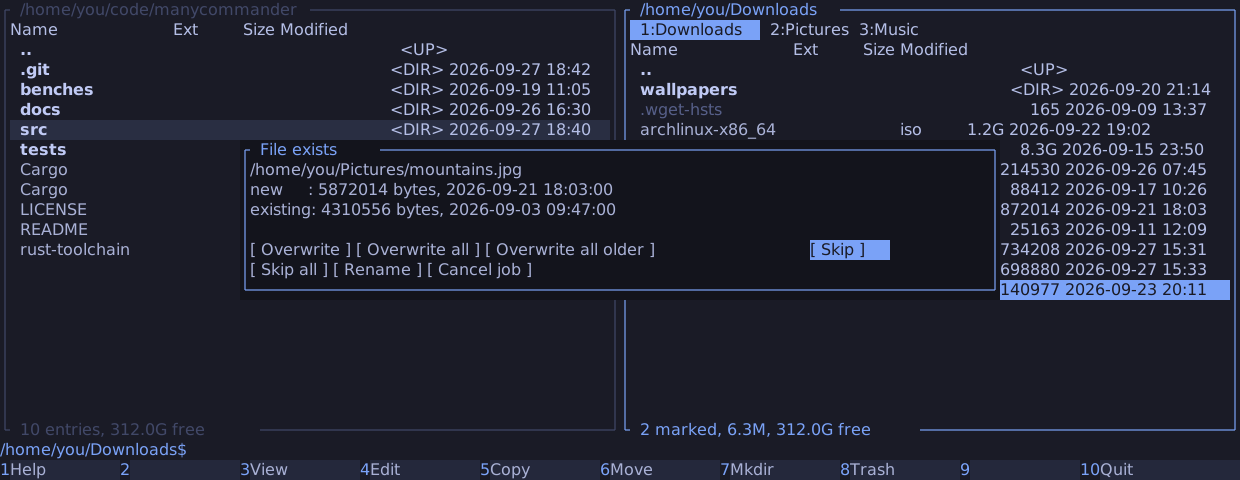
.<name>.mc-partial-<random>in the destination and is renamed into place when complete. - An existing file is replaced only after you answer Overwrite, Overwrite all or Overwrite all older, and then atomically. The old file is never truncated. The other answers are Skip, Skip all, Rename and Cancel job.
- Symbolic links are copied as links, never followed.
- Not preserved: ownership, ACLs, extended attributes, hard-link structure and sparseness.
Move and rename (F6, Shift+F6)
- On one filesystem, a move is a rename.
- Across filesystems, manycommander copies, checks that the source did not change during the copy, and deletes the source only after the copy is durable. A source that changed is kept.
- Mount points are skipped, never copied and deleted.
- On vfat and exfat, the change check is best-effort, because their timestamps are coarse.
Trash (F8)
- Trash follows the freedesktop.org Trash specification and is compatible with GIO:
gio trash --restoreand Nautilus restore what manycommander trashed. - Files on the home filesystem go to
~/.local/share/Trash. Files on another filesystem go to that filesystem's own.Trash-$UID, or to a shared.Trashthat passes the specification's checks. - Trash never copies across filesystems and never deletes. A directory is trashed whole, with one rename, so trashing is instant whatever its size.
- When no trash can take an entry, you choose Skip, or a permanent delete of that entry
alone behind the typed
deleteconfirmation.
Delete permanently (Shift+F8)
- manycommander counts files, directories and bytes first, and deletes only after you type
delete. - Symbolic links are removed, never followed.
- Mount points and bind mounts inside the tree are skipped.
- Read-only directories are not forced open: their entries fail with the error.
How moves survive a crash is on the durability page.